Archive

Posts Tagged ‘JavaScript’

Desktop HTML5 apps game changer? node-webkit

December 13th, 2012

icon-node-webkit-pre-releaseRecently stumbled upon node-webkit, an open-source from  Intel Open Source Technology Center, which is deliciously “simple”: combine a standalone webkit (Chromium) build and node.js into a runtime.

Webkit/Chromium brings a high-performance HTML5 environment with JavaScript JITting compiler, WebGL, Audio, hardware accelerated Canvas, camera access, etc.

Node.js brings high-performance access to the local machine resources, so that HTML5 apps can break out of the browser and get access to the file system, databases, server sockets, etc. Just like any other regular application. Check the wiki for more details.

Could it be a game changer?

You get many of the capability of managed frameworks ala .Net / Java with the deployment convenience of a native application.
Node.js asynchronous design means it will just run circles around anything else in a variety of I/O scenarios, and the JavaScript V8 engine can duke it out not just with Java & .Net JITters, but also many native compilers.

  • The runtime is available for Windows, OSX and Linux, so you’re instantly cross-platform.
  • Bundling Chromium means you’re no longer dependent on the browser available on the target machine, its updates… or lack of.
  • You just deploy an exe with a few (optional) companion DLLs (which you can just place alongside the exe).
  • No registry hacks needed: the apps are portable and can run just fine from an USB stick f.i.
  • Application options are controlled by a simple json manifest

Bundling an HTML5 SmartMobileStudio App

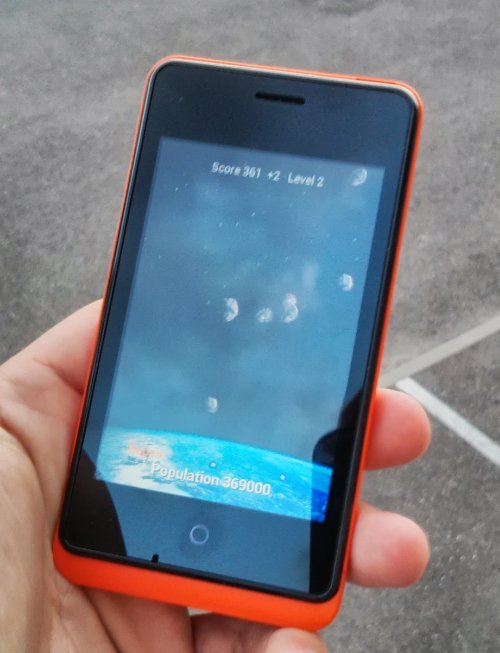
wartrail_smallI couldn’t resist the temptation to bundle WarTrail, my entry to the recent PGD Challenge as a node-webkit app. The node-webkit runtime stands at about 13 MB in an installer, which is a lot lighter than .Net or Java runtimes, and not so heavy compared to some native frameworks I won’t name whose executables start at 8-9 MB.
If you have a lot of resources and data, it becomes a quite acceptable overhead (f.i. media for WarTrail stands at nearly 17 MB compressed, which is light by modern game standards).

You can download the resulting installer (30 MB, built with node-webkit 0.3.4 & InnoSetup). The app app starts instantly and runs at high speed. Memory usage remains quite reasonable given the media resources involved.

For those that want to try it in Linux or OSX, grab the node-webkit precompiled binaries there (scroll down to “Downloads”), the get WarTrail.zip (17 MB), rename it to “WarTrail.nw” (sorry, server doesn’t recognize .nw extension), and feel free to report back on the bundling capabilities of node-webkit on those two systems.

So there you have it, with node-webkit, a SmartPascal app can look like a native app, behave like one, and access resources like one.

News , , , ,

Pascal open-source projects trending… Up!

November 7th, 2012

At least according to ohloh, when measuring commits to open-source projects, the graph is below:

Food for thought for Marco Cantù, the new Delphi Product Manager? The percentage figures are back in the 2004 range, and the trend after going downhill for years, reversed to shows 3+ years of growth.

When looking in details though, a most of the recent years activity is on projects around FreePascal and Lazarus projects, whereas at the turn of the millennium, the vast majority of it was targeted at Delphi.

The above chart is expressed in terms of percentage of activity in all open-source projects, 0.4% is low, but that better than Visual Basic does ;-) though there arguably never was a strong Visual Basic open-source community to begin with.

Other fashionable languages (C#, Java, PHP,Ruby, etc.) are quite higher, though their trends are flat or downward. Even Objective-C, is quite flat, indicating Apple developers probably don’t share.

There is however one language, that shows a constant, tranquil upward trends, it’s… JavaScript

I couldn’t find other languages with a similar trend, except maybe Python.

News , ,

Debugging PhoneGap/Cordova apps on the Desktop

September 11th, 2012

If you’ve tried building PhoneGap/Cordova apps, be it in Object Pascal via Smart Mobile Studio or directly in JS, you’ll quickly have realized that debugging on the devices, even with remote debuggers and emulators, isn’t always convenient.

Being able to debug in a desktop browser would be so much more convenient, eh?

The most commonly recommended way to do that is via Ripple, a Chrome plugin, which is indeed pretty, but IME proved quite buggy and heavy (meaning that Chrome debuggers would spend more time reporting stuff buried deep in ripple.js than in my own code).

Enter phonegap-desktop, an open source project by Jonathan Prince, which is essentially just a phonegap.js library that exposes the PhoneGap API, and allows you to provide fake device data just by writing in a json file. Simple, no-fuss.

To use it with a SmartMS project, just copy the “phonegap-desktop.js” file in the bin subfolder of a project, rename it to “phonegap.js“, et voilà! you can then run your app in Chrome or FireFox as usual. And when building the zip for Phonegap Build, just don’t include that file.

Tips , , , , ,

Delphi “Meteors” running Web-side

April 24th, 2012

Amongst the samples included with Delphi, you can find a “Meteors” clone. With SmartMobileStudio approaching the next beta milestone, I gave it a run at compiling old Delphi code, VCL, TCanvas-based, that was never intended to run Web-side… but now does! Click here or the image below to test it!

The controls are the same as in Delphi: arrow keys to turn and accelerate, space bar to fire.

Since the original code is under Embarcadero copyright, I can’t post the source here, but like with the Old School Maze, the amount of adaptations required was minimal, and the old code is running in near-vanilla form (with all its quirks). You can find DMeteor source code in the Samples\Delphi\VCL\Meteor directory that came with Delphi or RAD Studio.

The old Delphi code was pegged at 20 FPS and 600×400, and this version is too. Maybe once the PGD Challenge is over, I’ll try to find time to upgrade it to a 60 FPS, HD version, fix the difficulty and add Playtomic global leader-boards, just to show how simple it can be to leverage Pascal in the HTML5 era  ;-)

News , , ,

“Live” IDE scripting for DWScript

March 2nd, 2012

DWS compiler and execution engine are reaching very nice maturity levels, meaning they can be used to compile & execute code interactively, for instance to edit a web page, which mixes HTML, CSS, server-side dynamic Object Pascal content generation and client-side Object-Pascal scripted content.

The minimalistic Test app used in the video is less than 50 lines of code, and leverages DWScript, SynEdit, & ChromiumEmbedded.

And yes, you’re allowed to make mistakes, have infinite loops and other coding horrors. Not that you should ;-) , but while entering code, they’ll most certainly happen.

News , , ,

Small is Beautiful

February 6th, 2012

Small JavaScript that is. Or how to go from 350 kB down to just… 25 kB 23 kB.

Smaller JavaScript can help in up to three ways:

  • faster download: faster application installation or startup.
  • faster parsing for the browser: faster startup.
  • smaller identifiers: faster execution for non-JITting JavaScript engines.

And smaller also means you can have far more complex applications for a given size budget.

Using “Nickel Iron” as illustration


sshot_1280_800Nickel Iron is now available in the Chrome Web Store and in the Android marketplace, it’s built with Smart Mobile Studio, using the DWScript JS CodeGen.

The Pascal source for Nickel Iron is made of about 10k lines of code (most of it from the VJL), and a “normal” build, results in 350kB of JavaScript, well formatted, readable and debug-able with clear variable & class names. That’s larger than Pascal source size by about 50%.

Starting from that, if you enable obfuscation, optimization for size and smart linking, the 350 kB go down to 100 kB of a JavaScript source (not really readable anymore), and when that source is packaged in an Android app or sent with HTTP compression, you’ll be looking at a 25 kB file.

For comparison, jQuery is 229 kB raw, and 31 kB minified & compressed, and jQuery UI is about twice larger than jQuery. And when you’ve taken all that baggage, you haven’t done anything yet!

Obfuscation

Obfuscation isn’t just to make your code more annoying to reverse engineer: it can also help make your JavaScript smaller.

When obfuscation is active, the CodeGen will replace most identifiers with shorter versions, usually 1 to 3 characters in length.

Since JavaScript is case sensitive, each extra character added to an identifier can take 62 different values (the CodeGen reserves “$” and “_” for special uses). So obfuscated identifiers are typically short, and that allows to save on space.

JavaScript is also quite heavy on hash-table name lookups, and smaller names help making hash computations faster. On a Desktop JavaScript engine, that advantage quickly fades away as the browser hot-spots profiler decides to JIT, but on your typical Smart-phone browser, the difference can be felt.

Optimize for Size

Optimize for size triggers two mechanisms in the CodeGen:

  • a JavaScript “minifier” is run on the output, it will strip away comments, useless spaces, tabs and other characters.
  • alternative code generation templates are used, which spit out less readable but smaller code. At this point, there is no choice between size and performance, only between more and less human-readable.

The minifier is applied to “asm” sections too, and performs “safe” minifications only.

Smart Linking

Just like in Delphi, smart linking will eliminate functions methods and classes you have in the Pascal source, but never use in your program.

This is where things break away from other JavaScript libraries in terms of size. At best, they offer manual smart-linking like  jQuery UI’s “Build Your Download“, or plain old plug-ins. But if you want to use those, it means you’ll be dealing with manually managing hundreds of different builds (given all the possible combinations), and will probably just be bundling useless stuff sooner or later, because life’s too short and/or time is money.

However, just like in Delphi, Smart Linking works best if your code is well decoupled, if you use dependency-injection and other light-coupling design approaches. So avoid coding spaghetti plates ;-)

At the time this article was written, the DWScript Smart-Linker limitations are :

  • virtual or interfaced methods of a class you use aren’t eliminated (same limitation as in Delphi) update 02/08: now supported, was simpler than anticipated.
  • there is no de-virtualization just yet (same limitation as in Delphi).
  • cross-referencing functions aren’t eliminated (procA calls procB, and procB calls procA), though as this may be more of a sign of a code smell, it might just be getting a compiler “hint” rather than smart-linker support.

Finally, Pascal being declarative and statically-typed (as long as you’re not abusing RTTI/asm stuff), the Smart-Linker will be able to go further than other optimizers that start from JavaScript (like Google’s closure), and thus have to accommodate for all potential dynamic tricks.

Tips , ,

Closures in DWScript / OP4JS

January 21st, 2012

Closures, also known as “anonymous methods” in Delphi, are now supported by DWScript for the JavaScript CodeGen, with the same syntax as in Delphi:

myObject.MyEvent := procedure (Sender : TObject);
                    begin
                       ...
                    end;

There are of course some extensions that go beyond what Delphi supports ;-)

You are allowed to use a named local procedure as a closure / anonymous method, with optional capture of local variables, allowing for neater layout of code, for instance:

begin
   ...
   procedure MyLocalProc(Sender : TObject);
   begin
      ...
   end;
   ...
   myObject.MyEvent := MyLocalProc;
   ...
end;

The function pointers and closures are unified, you did not have to distinguish between a “procedure” and a “procedure of object“, and you don’t have to distinguish a “reference to procedure” either, ie. if you declare

type TNotifyEvent = procedure (Sender : TObject);

as long as the parameters match (and result type for a function) , the above type will accept standalone functions, object methods, interface methods, and now closures/anonymous methods (and even record methods, which are just syntax sugar for standalone function with an implicit parameter).

PS: DWScript (as a scripting engine), will very likely evolve (in time) from a stack based-engine to a closure-based engine, so the above syntax will be supported for scripting purposes too, and not just when compiling to JavaScript.

News , ,

Good Practices for JavaScript “asm” sections in DWS/OP4JS

January 16th, 2012
Comments Off

The compiler supports writing “asm” aka JavaScript section in the middle of Object Pascal, there are a few good practices as well as tips to keep in mind, let’s review the menu:

  1. Name conflicts and obfuscation support
  2. Do you really need an “asm” section?
  3. Don’t rely on implicit parameters structure
  4. Handling callbacks with “Variant” methods
  5. Handling callbacks in an “asm” section
  6. Current limitations

1. Name conflicts and obfuscation support

This should be a point zero actually, but the first thing to have in mind is that you are allowed in Pascal to use as names identifiers that are reserved in JavaScript. Those can be language keywords (“this”, “delete”, etc.) or common DOM objects and properties (“document”, “window”).

The compiler automatically protects you from such conflicts by transparently renaming your identifiers (currently by adding a “$”+number at the end).

Then there is the obfuscator, which will basically rename everything to short, meaningless names. That’s good for more than obfuscation: it reduces the size of the JavaScript, improves the parsing and lookup-based performance in the browser.

The consequence is that in an “asm” section, you should prefix all Pascal identifiers with an ‘@’, so the compiler can correctly compile your asm. For instance in:

var window : String;
...
asm
   @window = window.name
end;

The ‘@window’ refers to the ‘window’ string variable (which the compiler will rename), while ‘window.name’ will be compiled “as is”, as it reads the ‘name’ property of the global ‘window’ JavaScript object.

2. Do you really need an “asm”‘ section?

Though for some weird cases you might (like this gem), there are many cases in which you don’t need “asm”, as the language supports a “Variant” type which is a raw JavaScript object, and upon which you can call methods, read properties directly or via indexes.

For instance, with v a Variant, the following code:

v := v.getNext();
v['hello'] := v.space + 'world';

will get compiled (almost) straight into

v = v.getNext();
v['hello'] = v.space + 'world';

When using Variant, you don’t have strong compile-time checks (it’s just you vs JavaScript), property and function names are case-sensitive, so use them with care. This is similar in syntax and essence to using OLE Variants and Delphi.

On the other hand, you have compiler support, and you get automatic casts when assigning a variant to a strong type (Integer, String, etc.), and you also get name conflict protection & obfuscation support without having to ‘@’ your Pascal references.

3. Don’t rely on implicit parameters structure

Because they may change in future compiler revisions!

For instance, methods are currently invoked with an implicit “Self” parameters, and the others behind, so currently “arguments[0]” is Self, and everything else if after that. But don’t rely on it.

Future compiler revisions may change that parameter’s name, may obfuscate it, may remove it entirely in favor of an implicit “this”, may inline your function, etc.

So if you need explicit parameters, declare them, if you’re in a method and need to access the object (Self), use “@Self”, if you need to access a field of the current object use “@Self.FieldName”, etc. That will keep working.

4. Avoid declaring variables in “asm” sections

Declare them in the parent function/method instead, and reference them with the ‘@’ prefix.

There are three main reasons for that, the first is that doing so means they’ll be case-insensitive, the second is that it will allow the obfuscator to obfuscate them reason for that, and the third is that you’ll get compiler warnings if you declare a variable but do not use it (or if you forgot to @-prefix it).

So don’t write that:

asm
   var myTemp;
   myTemp = ...whatever...;
   ...
end;

But write this instead:

var myTemp : Variant;
...
asm
   @myTemp = ...whatever...;
   ...
end;

5. Handling callbacks with “Variant” methods

A common occurrence is to register a callback to a JavaScript object, when that object is hosted in a Variant, that’s fairly simple to achieve:

procedure DoImageLoaded;
begin
   ...
end;
...
var myImage : Variant; // will refer to an image object
...
myImage.onload(@DoImageLoaded);

There we use the ‘@’ operator Pascal-side, to make it explicit that we want a function pointer, and not call the function. The ‘@’ isn’t necessary when the function is declared Pascal-side, as the compiler can figure it out, but when invoking a Variant method, it doesn’t know the parameters type.

Note that since function pointers are unified, you can get a function pointer from an object method or an interface method in the same fashion:

myImage.onload(@myObject.DoImageLoaded);
myImage.onload(@myInterface.DoImageLoaded);

6. Handling callbacks in an “asm” section

If you want to register the callback in an “asm” section, the situation is a little more complex, as “@myObject.myMethod” will refer to the function prototype, outside of its context. It means it’s okay for standalone functions or procedures, but may not do what you’re expecting for object or interface methods.

The solution is to acquire the function pointer outside of the “asm” section:

var myCallback : Variant;
...
myCallback := @myObject.DoImageLoaded;
asm
   @myImage.onload(@myCallback);
end;

7. Current limitations

Currently the parser for “asm” sections doesn’t really understand JavaScript:

  • it’s still treating JS as a weird invalid form of Pascal, and notably {} define comments for it, so it will pass whatever is inside curlies “as is”, and will annoyingly ignore @ signs inside curlies
  • some weird operator combos (but valid JS)  may throw off the parser, if that happens, place that code in between curlies, and post a bug report

Hopefully in time, there will be a proper JS parser, but currently the focus is more on the Pascal side, and “asm” sections are intended for handling corner cases more than as a main workhorse.

Tips , , ,

OP4JS: “How do I…”

January 6th, 2012
Comments Off

Taming the Chrome Web Store

September 30th, 2011
Comments Off

Chromium LogoWell, “taming” is probably too ambitious given the jungle that the Chrome Web Store is, especially as this post is restricted to publishing a standalone DWScript/JavaScript app into the Web Store in a few simple steps. Interestingly enough, it seems that publishing Metro apps for Windows 8 will follow a similar process, according to the developer preview.

I’ll use the Flock Demo as an illustration, and turn it into a packaged app, that lives in Chrome and can be access off-line.

Bare minimum requirements

First prepare a folder for the app, in that folder you’ll need all your sources and resources (html, js, images, etc.), in our case, that’s just

  • flock.htm
  • jquery.js

For more complex cases, you are allowed to have sub-folders to neatly arrange everything.

The extra required Chrome package files are, at a bare minimum:

  • manifest.json
  • 16×16 icon (PNG format)
  • 128×128 icon (PNG format)

The manifest.json I used is the following

{
  "name": "DWScript Flock Demo",
  "version": "1.5",
  "description": "Interactive Canvas demonstration for DWScript",
  "app": {
    "launch": {
      "local_path": "flock.htm"
    }
  },
  "icons": {
    "16": "icon_16.png",
    "128": "icon_128.png"
  }
}

Note that the specs for manifest.json are rather “raw”, and if you get something wrong, you’ll likely fail your submission, and each failed attempt, if it’s not caught during upload, will be result in an error at install time. When you re-upload you need to specify a new version number (that’s why it’s at 1.5 in the above snippet!).

Testing and publishing the packaged app

To minimize issues, you can test your app as an unpackaged app in Chrome, go to tools/extensions, then activate the “developer mode”. You’ll then be able to specify the folder in which you placed your app. This also allows to run everything with the developer tools (debugger, etc.).

Once you’re confident enough, you can upload to the Web Store, for that just zip your folder and submit it. The zip can hold sub-folders, but make sure your manifest is at the root of the zip. Be aware there is $5 one-time, lifetime fee per Web Store developer account (not per app).

Then you’ll have the choice of publishing to testers or to end users, that choice is currently final, ie. if you publish to testers, you’ll have to create another web store entry for the user version. Note that there is a small delay between publishing an update, and the update being available for installation.

Finally, all that’s left is a bit of marketing, preparing a screen-shot or two, a YouTube video, a promotional tile, etc. If you’re on a budget, you can use CamStudio to grab the video.

See DWScript Flock Demo on the Chrome Web Store.

As a packaged app, it’ll be available in Chrome from the “Applications” bar of a new tab (Ctrl+T), you can also view them in the context menu.

Tips , ,