Archive

Posts Tagged ‘OP4JS’

DWScript news roundup for May 2013

May 7th, 2013

dws-mirrorLanguage and Script Engine

  • Delphi XE4 is now supported, compiler hints for XE3 have been taken care of as well
  • compiler now supports “in” operator across strings, for for instance “if subString in myString then” is equivalent to “if myString.Contains(subString) then
  • added standard “helpers” for most built-in functions operating on String, Integer, Float and Boolean. These roughly follow the Delphi & .Net conventions, though standard Maths functions are accessible directly (f.i. you can do “angle.Cos” directly, rather than have to go through “Math.Cos(angle)“)
  • added some more string functions (DeleteLeft, DeleteRight, etc.)
  • added support for EmptyParam for the COM connector
  • added DivMod to the standard functions
  • improved performance of DecodeDate/Time functions
  • improvements and fixes for the JSON connector (now supports manipulating an existing JSON structure, creating, moving and deleting nodes)
  • misc. fixes and improvements

Note that there aren’t specifics DPKs for XE4, you can just copy/rename the XE2 or XE DPKs.

Changes for SmartMobileStudio / JavaScript Codegen

In addition to the  previous changes, the following will apply to the next version of SmartMS:

  • support “for str in variant” which allows enumerating members of a raw JavaScript object (compiles to “for (str in v)”)
  • improved code generation for functions with an “exit” statement
  • added specific optimizations for string copies and testing (startswidth/endwidth)
  • slightly faster code generation


News ,

Smart Contest 2013 – Round #2

May 6th, 2013

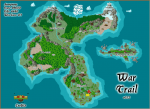
wartrailThe second Smart Context 2013 has been announced! As with the previous round, first prize is a tablet device of your own choice (up to USD 750). This time the theme is “Game Development”

The rules are as follows:

  • Registration before the 13th of May (registration at contest@smartmobilestudio.com)
  • Deliver your contribution before 3rd of June
  • The source code will be shared in our show case area
  • Preferable that it can run in the integrated IDE browser (but not mandatory)
  • No restrictions w.r.t game genre
  • No restrictions w.r.t project type (canvas, sprite, console, VCL)
  • You can use the trial version to make your entry

The registration date limit is not intended to be binding, but more like an “Hey I’m in”, and for the previous contest latecomers were accepted as well.

For this round I’ll be one of the judges alongside Jon Lennart Aasenden, who recently posted two articles about game development, see part1 and part2.

For more details, head to the announcement page.

News ,

Publishing pictures from an HTML5 app

March 15th, 2013
Comments Off

imgur-logoThis is a belated followup to the L-System Fiddle series from last year (more like a forgotten article), which ended with a Pascal-based HTML5 app being used to generate fractals and publish them to imgur.

Why imgur? Well because they have a well-documented API and they don’t require registration, authentication or other personal data for uploads, making it a good candidate for a demo anybody can try online, and where you may not want to enter your personal credits.

L-System Fiddle

You can try the L-System web app for yourself, it comes with a few sample L-System fractals, and it allows tweak the grammar, iterations and basic simple rendering parameters.

 
Read more…

Tips , , , , , ,

Graphics competition, two days left to register!

February 8th, 2013

..and maybe win first prize, which is the tablet of your choice?

SmartContest 2013 Round #1

This is the first competition out of four this year. So this is your chance to win some exciting prices by showing off your Object Pascal skills!

The topic of this round is: graphics programming (eg. demo-scene, fractal art, visualizations etc).

Registration is before the 10th of February, follow the link above for more details!

News , ,

Thirteen features of DWScript

December 31st, 2012

2013After having survived the Mayan apocalypse and just before the year ends, and the US economy falls from the fiscal cliff into the pit of recession, here is a quick look at thirteen features of DWScript, so you don’t come into 2013 unaware :)

1. Supercharged memory management

ARC is trendy, but introduces cycles and weak references hell, GC is cool, but garbage collections stalls aren’t, deterministic memory management is fast and deterministic, but verbose and error-prone.

Why not have them all at the same time work together instead? That’s what you get in DWScript: ARC for immediate releases in simple cases, GC to collect cycles and avoid the weak reference, and manual deterministic release when you need it.

2. First-class dynamic arrays

Dynamic arrays are strongly typed, first-class dynamic arrays have methods to Add, Delete, etc. like a (T)List<T>.

And where automatic memory management absolves you from destructors most of the time, true dynamic arrays absolve you from requiring constructors for list and LIFO queues.

3. Type-inferenced variables

Why manually specify the type when the compiler can infer it for you and you get a strongly typed variable?

“var a := 2;” is the same as “var a : Integer; … a := 2;” would be in Delphi.

4. Combined field declaration and initialization

Also type inferenced, fields default values can absolve you from having to write a constructor in trivial cases.

5. Multiple helpers per type

Helpers aka extension methods can be a powerful way to add functionality to existing types. Having a limit of one-helper-per-type hamstrings them.

6. Multi-line strings

Whatever your strings or constants are used for, sometimes they need to span more than one line. When that happens, being able to absolve yourself from concatenating an obscure #13#10 is nice. Having a syntax that will allow you to properly indent those strings without introducing spurious indentation in the string is even better.

7. Lambda syntax

This applies to SmartPascal, where closures and anonymous methods are common, by leveraging type inference and a less verbose, yet not operator-soupy syntax, you can have a syntax far more compact, yet still statically and strongly typed. Enough to make one happy.

8. Custom language extensions

Sometimes it would be nice to introduce custom construct into your source code, with DWScript’s language extension mechanism you can do just that and take over the parser for a section of code, can be used to introduce asm or JSON capability.

9. Unicode-safe strings and iterations

Because sooner or later you’re going to end up parsing Chinese and your 16-bit-characters assumption are going to haunt you. Having Unicode-aware loops and no 8-bit or 16-bit Char type in the language avoids that.

10. Unified function pointers / delegate

Because life is too short for procedure vs procedure of object vs reference to procedure. Let the compiler figure it out.

11. Compile-time function evaluations and constant expressions

When something is constant, it’s constant, no? DWScript lets you use constant expressions to define constants, so that you can have a constant defined by just “Sin(PI/4)” rather than a magic number plus a comment to explain what that magic number is.

12. Partial classes

Partial classes allow you to support automatically-generated code more easily, including code generated from compile-time type information, or just make your classes more extensible, by design.

13. Deprecated

Feature #13 got deprecated and isn’t available anymore.

14. Being able to compile to HTML5+JavaScript

With SmartMobileStudio, Make your business logic cross-platform, cross-terrain and as ubiquitous as  it can get these days. Run in mobile or desktop browsers, run server-side with node.js, or client-side with node-webkit as runtime environment.

Tips , , ,

Desktop HTML5 apps game changer? node-webkit

December 13th, 2012

icon-node-webkit-pre-releaseRecently stumbled upon node-webkit, an open-source from  Intel Open Source Technology Center, which is deliciously “simple”: combine a standalone webkit (Chromium) build and node.js into a runtime.

Webkit/Chromium brings a high-performance HTML5 environment with JavaScript JITting compiler, WebGL, Audio, hardware accelerated Canvas, camera access, etc.

Node.js brings high-performance access to the local machine resources, so that HTML5 apps can break out of the browser and get access to the file system, databases, server sockets, etc. Just like any other regular application. Check the wiki for more details.

Could it be a game changer?

You get many of the capability of managed frameworks ala .Net / Java with the deployment convenience of a native application.
Node.js asynchronous design means it will just run circles around anything else in a variety of I/O scenarios, and the JavaScript V8 engine can duke it out not just with Java & .Net JITters, but also many native compilers.

  • The runtime is available for Windows, OSX and Linux, so you’re instantly cross-platform.
  • Bundling Chromium means you’re no longer dependent on the browser available on the target machine, its updates… or lack of.
  • You just deploy an exe with a few (optional) companion DLLs (which you can just place alongside the exe).
  • No registry hacks needed: the apps are portable and can run just fine from an USB stick f.i.
  • Application options are controlled by a simple json manifest

Bundling an HTML5 SmartMobileStudio App

wartrail_smallI couldn’t resist the temptation to bundle WarTrail, my entry to the recent PGD Challenge as a node-webkit app. The node-webkit runtime stands at about 13 MB in an installer, which is a lot lighter than .Net or Java runtimes, and not so heavy compared to some native frameworks I won’t name whose executables start at 8-9 MB.
If you have a lot of resources and data, it becomes a quite acceptable overhead (f.i. media for WarTrail stands at nearly 17 MB compressed, which is light by modern game standards).

You can download the resulting installer (30 MB, built with node-webkit 0.3.4 & InnoSetup). The app app starts instantly and runs at high speed. Memory usage remains quite reasonable given the media resources involved.

For those that want to try it in Linux or OSX, grab the node-webkit precompiled binaries there (scroll down to “Downloads”), the get WarTrail.zip (17 MB), rename it to “WarTrail.nw” (sorry, server doesn’t recognize .nw extension), and feel free to report back on the bundling capabilities of node-webkit on those two systems.

So there you have it, with node-webkit, a SmartPascal app can look like a native app, behave like one, and access resources like one.

News , , , ,

Debugging PhoneGap/Cordova apps on the Desktop

September 11th, 2012

If you’ve tried building PhoneGap/Cordova apps, be it in Object Pascal via Smart Mobile Studio or directly in JS, you’ll quickly have realized that debugging on the devices, even with remote debuggers and emulators, isn’t always convenient.

Being able to debug in a desktop browser would be so much more convenient, eh?

The most commonly recommended way to do that is via Ripple, a Chrome plugin, which is indeed pretty, but IME proved quite buggy and heavy (meaning that Chrome debuggers would spend more time reporting stuff buried deep in ripple.js than in my own code).

Enter phonegap-desktop, an open source project by Jonathan Prince, which is essentially just a phonegap.js library that exposes the PhoneGap API, and allows you to provide fake device data just by writing in a json file. Simple, no-fuss.

To use it with a SmartMS project, just copy the “phonegap-desktop.js” file in the bin subfolder of a project, rename it to “phonegap.js“, et voilà! you can then run your app in Chrome or FireFox as usual. And when building the zip for Phonegap Build, just don’t include that file.

Tips , , , , ,

DWScript September 2012 news: FreePascal, RTTI and lambda syntax

September 10th, 2012

Here is the news summary for September 2012, top new items are initial FreePascal support and introduction of lambdas syntax.

Minor language improvements

  • Hexadecimal literals prefixed with ’0X’ (zero x/X) are now supported.
  • Binary literals prefixed with ’0B’ (zero b/B) are now supported.
  • Added ClassParent to TObject.
  • Methods can now be marked as “empty“, the compiler then assumes an empty implementation body (same as in Oxygene).

FreePascal Support

Latest SVN now compiles under FreePascal 2.7.1, and a fair amount of the unit tests now pass in Windows.

Impacts on Delphi usage:
  • generic collections in (dwsUtils) were adapted, and may require changes in your code if you were using them, the updated collections are a bit “less” generic, but should run faster.
  • enumerators that were using anonymous methods (“reference to”) have been changed to standard object methods (“procedure of object”), you’ll have to adjust your code if you were using them. On the upside, they’ll should be slightly faster now.
  • code no longer compiles in XE3, whose compiler now gives cryptic internal errors. Code still compiles fine under XE and XE2, so my advice is to wait for XE3 update 1.
Limitations in FreePascal:
  • Delphi and DWScript assume UTF-16 strings, while FreePascal uses UTF-8, with UnicodeString support in FPC being still limited, the code currently relies on UTF-8 in FreePascal + conversions, this means String are currently slow in the script engine, and can be quite glitchy for non-BMP Unicode characters.
  • The asm helpers haven’t been ported to FreePascal yet, so overall performance in the script engine, even outside of strings, is quite lower in FreePascal (about twice slower AFAICT).
  • The code has been tested only with a Win32 target, it likely doesn’t compile or runs for other targets yet.

Hopefully the above limitations will get resolved or worked around in future versions.

RTTI first steps

Initial support for RTTI has been introduced, currently it’s limited to properties and class attributes, and only the low-level storage and interfaces have been defined. If you’re interested, see the unit tests for sample code.

It allows enumerating attributes, getting property types, as well as invoking property getters & setters for simple types.

SmartMobileStudio improvements

  • Introduced Lambda syntax, the lambda expression syntax is similar to C#’s syntax with “lambda” keyword in front to make it less of an operator soup
    DoSomething( lambda (param1, param2) => param1+param2 );

    lambda statements are supported too, when ‘=>’ is not present

    DoSomething(
       lambda (param1, param2)
          DoSomethingElse(param1);
          Result := ComputeSomething(param2);
       end );

    Lambdas are currently capable of compile-time type-inference, ie. they are strongly-typed and can be used as less verbose alternatives to the “anonymous methods” syntax.

  • Fixed a bug when Exit() is used in a constructor
  • Fixed support of ‘?’ in asm (JavaScript) sections

And yes, current lambda syntax differs from Oxygene (which uses just ‘->’ with no prefix), we felt the “=>” operator was more readable and more “standard”, the presence of a “lambda” prefix makes them more prominent, and less prone to operator-soup.
There are other advantages, such as parameter-less lambdas (which are not necessarily constants, since they are effectively closures), and the presence of a keyword, which means support for alternative lambda syntax can be added at future times without affecting backward compatibility. I’ll try to discuss these in a future article.

Lambda support will be supported in the script engine later, when it’ll have transitioned from stack-based to closure-based, ad interim, this feature is currently limited to the JavaScript CodeGen and Smart Mobile Studio.

News , ,

Fiddling with L-System (part 2)

August 13th, 2012


Part 1 left us with a large cryptic looking string (a recursively applied grammar applied to an axiom, for the purists).

In part 2 we’ll go from that big string to a visual representation, by making use of that string as a set of commands for a turtle language.

Turtle graphics came to fame in the days of Darwin’s voyage to the Galapagos the Logo programming language, and in many ways are the grand-daddy of vector graphics languages like SVG.

For more details, read the turtle graphics article in wikipedia, it’s (at the moment) short and to the point.

Turtle Graphics Language

In our case, the language is made up of the following basic commands:

  • F : go forward one step
  • + : turn left by a fixed angle
  • - : turn right by a fixed angle
  • [ : push current turtle state in the stack
  • ] : pop current turtle state in the stack

Those five commands allow to render any monochrome connected graphics. Of course the language can be extended to allow more operations: changing color, changing pen width, moving without drawing, specifying filled polygons, extending to 3 dimensions, etc.

Not that kind of turtle graphics

Not that kind of turtle graphics

Show me the code!

Implementing an interpreter for the above language is a smple affair. First, we define a structure to hold the current state of the turtle:

type
   TLSystemRendererState = record
      X, Y : Float;
      A : Float;
   end;

and the minimal renderer object with current state and stack would be

type
   TLSystemRenderer = class
      private
         FState : TLSystemRendererState;
         FStack : array of TLSystemRendererState;
      public
         procedure Render(canvas : TW3Canvas; const axiom : String);
   end;

The Render method is where everything happens:

procedure TLSystemRenderer.Render(canvas : TW3Canvas; const axiom : String);
var
   i : Integer;
   a : Float;
begin
   canvas.BeginPath;
   canvas.MoveToF(FState.X, FState.Y);

   for i := Low(axiom) to High(axiom) do begin
      case axiom[i] of
         'F' : begin
            FState.X += Cos(FState.A)*Size;
            FState.Y -= Sin(FState.A)*Size;
            canvas.LineToF(FState.X, FState.Y);
         end;
         '+' : FState.A += Angle;
         '-' : FState.A -= Angle;
         '[' : FStack.Push(FState);
         ']' : begin
            FState := FStack.Pop;
            canvas.MoveToF(FState.X, FState.Y);
         end;
      end;
   end;

   canvas.Stroke;
end;

Characters that are not commands are just ignored, this is quite important for L-System, as non-command characters are often used at the grammar level for the rule (the Penrose tiling being a good example).

The renderer leverages the stack-like pseudo methods of dynamic arrays along with the automatic record cloning, so the code is rather simple as you can see.

Not explicited above are the Angle is the angle parameter (in radians), which you’ll want to make a property of the renderer. Also Size is the standard step Size, for LSystemFiddle, 10 seems to look good for a line width of 1, but you may want to allow fiddling with it in a more complete renderer.

That’s all for the monochrome renderer, but that’s not all for this series ;-)

If you check again the Live Demo App, you’ll see a new “Publish” button was added since part 1 was… published (hit F5 if you don’t).
Feel free to use the new “Publish” button to share your creations!


News , , , ,

Fiddling with L-System (part 1)

August 6th, 2012

The class of grammar-based fractals known as Lindenmayer system allows generating an interesting variety of geometrical and botanical visuals.

To the right is a representation of a “Fractal Plant”, which is generated from just two simple (if cryptic-looking) rules applied recursively.

In simple terms, L-System starts from a string (called an axiom), to which rules are applied recursively. Rules are a set of substitution strings for characters in the original string.

Classic Algae

For illustration,the classic example (named “Algae”), has two rules:

A -> AB  (each A becomes AB)
B -> A (each B becomes A)

And when you start from “A” as axiom, that gives the following recursive sequence:

n = 0 : A
n = 1 : AB
n = 2 : ABA
n = 3 : ABAAB
n = 4 : ABAABABA

Obtaining graphics

When you couple the above system with Turtle graphics, these strings can be used as the basis of a vector drawing. Combine a well chosen grammar with a bit of coloring, and you can obtain visually pleasing fractals.

Lindenmayer started from a botanical perspective, but the grammar system can be applied to a variety of mathematical entities, like the Peano-Gosper curve you can see to the left.

A variety of tilings and Kolams can also be achieved.

Coloring can be handled via turtle language commands directly, but also by coloring the lines from start to finish, such as in the Peano-Gosper curve here, where the colors are taken form a rainbow 1D texture.


Finally, L-System fractals also are an interesting way to stress-test a graphics UI line-rendering capabilities ;-)

Start Fiddling Now!

I’ve made a small SmartMS app where you can fiddle with L-System right from any browser (desktop or mobile), along with a few classic presets to get you started:

L-System Fiddle

For the curious ones, timings are listed in the JavaScript console, f.i. hit ctrl+shift+J in Chrome to bring it up.

Now let’s get under the hood!

Applying L-System grammar

Below is the source code for applying a set of grammar rules to an axiom. They’re implemented as a simple set of  helper methods to an array of L-System rules.

Let’s suppose you want to generate the Heighway Dragon up to iteration 12, that can be done with just

var rules : TLSystemRules;
rules.Add('X', 'X+YF+');
rules.Add('X', '-FX-Y');
var dragon := rules.Apply('FX', 12);

As you see the helper approach allows to keep the code very simple. As to what can be done with the “dragon” string that’ll be topic for part 2 ;-)

I’ll leave you with the unit that allows the above code to work it magic.

unit LSystem;

interface

type

   TLSystemRule = record
      Predecessor : String;
      Successor : String;
   end;

   TLSystemRules = array of TLSystemRule;

   TLSystemRulesHelper = helper for TLSystemRules
      procedure AddRule(const predecessor, successor : String);

      function Apply(const axiom : String) : String; overload;
      function Apply(const axiom : String; iterations : Integer) : String; overload;
   end;

implementation

{ TLSystemRulesHelper }

procedure TLSystemRulesHelper.AddRule(const predecessor, successor : String);
var
   r : TLSystemRule;
begin
   r.Predecessor := predecessor;
   r.Successor := successor;
   Self.Add(r);
end;

function TLSystemRulesHelper.Apply(const axiom : String) : String;
var
   i : Integer;
   s : String;
   rule : TLSystemRule;
begin
   for i := Low(axiom) to High(axiom) do begin
      s := axiom[i];
      for rule in Self do begin
         if s = rule.Predecessor then begin
            s := rule.Successor;
            break;
         end;
      end;
      Result += s;
   end;
end;

function TLSystemRulesHelper.Apply(const axiom : String; iterations : Integer) : String;
begin
   Result := axiom;
   while iterations > 0 do begin
      Result := Apply(Result);
      Dec(iterations);
   end;
end;


News , , , ,